Headless WordPress: when it pays off for companies and when it does not
Headless WordPress separates editing from the website. When it pays off, which plugins stop working, what it means for shops and which middle path works.
Contents
Headless WordPress pays off when the same content has to appear on several channels or when your website is more of an application than a set of pages. For a normal company website with a blog and a contact form it is usually the more expensive route to the same result: you then run two systems, many plugins stop working, and WordPress in the background still needs every update. A middle path is often enough, such as one decoupled feature or a static copy of the website.
So you can judge this text properly: I build websites with WordPress and that is how I earn my living. This website, however, does not run on WordPress. I built it as static pages with Astro, the texts live as files in the code, and every change goes through a new build. As a developer that suits me. For a team that wants to change texts and images without a developer it would be the wrong choice. That trade-off is exactly what headless is about.
Headless or classic: the decision in one table
| Your situation | The setup that fits |
|---|---|
| Company website with a blog and a contact form, the editors work without a developer | Classic WordPress with a fast theme and caching |
| One single feature should behave like an app, for example a configurator or a dealer search | Classic WordPress, only this feature as its own application inside a block |
| The same content appears on the website, in an app and on screens in your store | Headless |
| The website rarely changes and should be fast and hard to attack | Static copy generated from WordPress |
| Online shop selling to consumers in Germany | Classic WooCommerce, headless only with a budget for your own checkout |
| An in-house development team looks after the frontend permanently | Headless is a real option |
What headless means technically
In the classic setup WordPress does two jobs. It manages the content and turns it into finished pages through the theme. Headless means WordPress keeps only the first job. The "head", the output of the pages, is gone. A separate frontend fetches the content and builds the website from it, usually with a JavaScript framework such as Next.js, Nuxt or Astro.
The connection runs through an interface. Since version 4.7, released in 2016, WordPress has shipped REST API endpoints for posts, comments, terms, users and settings that deliver content as JSON. If you prefer GraphQL, you add the plugin WPGraphQL. According to the plugin directory it runs on more than 30,000 websites and is becoming an officially supported canonical plugin on WordPress.org.
For your editors little changes at first, they keep writing in the familiar WordPress admin. The differences show up when publishing, in the preview and with every plugin that used to display something on the website.
What you gain with headless
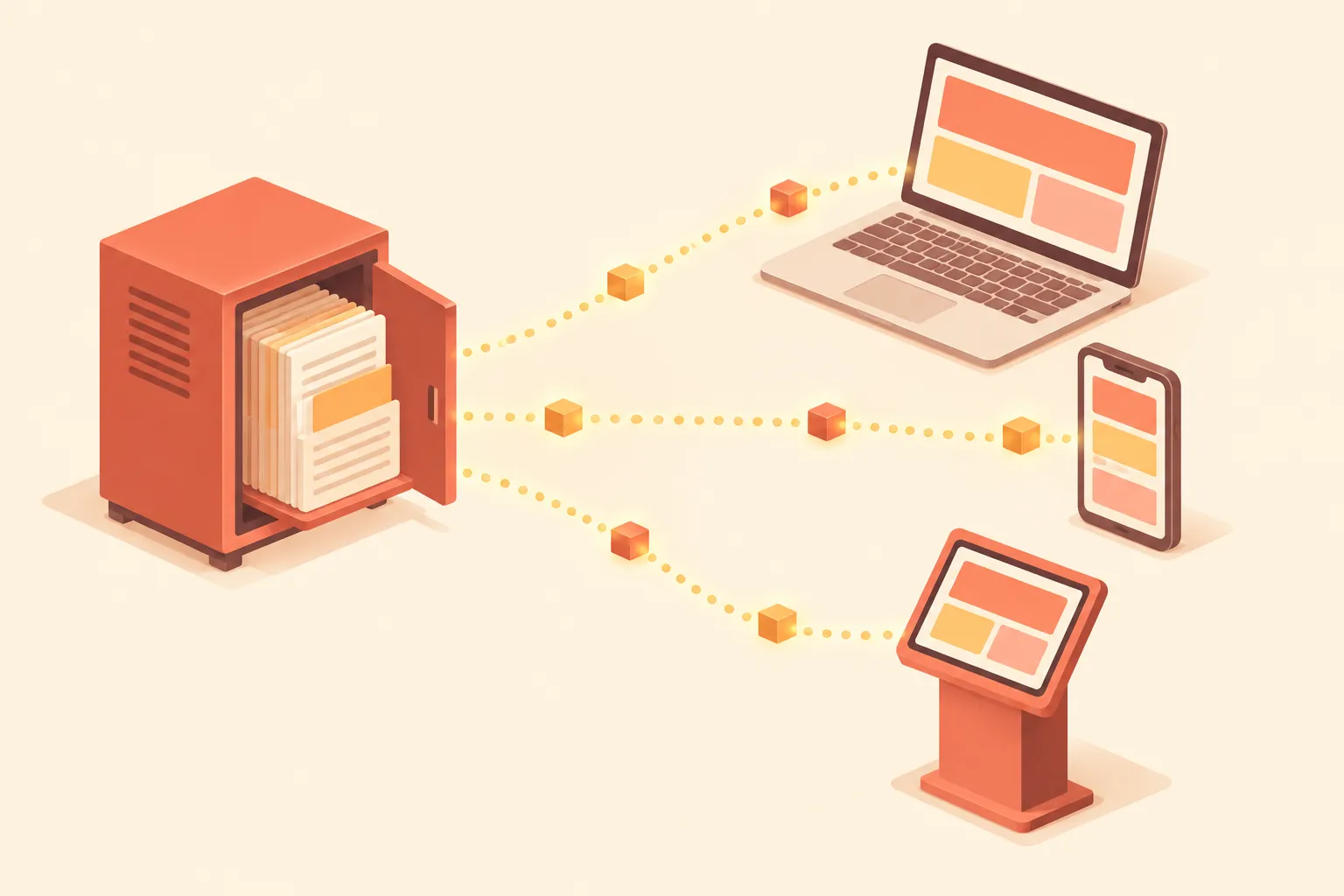
The strongest reason is one content source for several channels. If product texts, locations or news should appear on the website, in an app and on a screen in your showroom at the same time, your team maintains them once in WordPress and every frontend fetches them from there.
The second reason is interfaces that are more application than website: a customer portal with a login, a configurator with many states, a search with dozens of filters. A frontend team often builds these more cleanly in React or Vue than in a PHP theme.
Fast loading times alone are rarely a good reason. A decoupled frontend can generate pages in advance and serve them from a CDN, which is fast. A well-built WordPress theme with good caching also achieves good values for a company website, though. If your website is slow today, in my experience it is almost always down to the theme, a page builder or plugins, and that can be fixed without a rebuild.
What you lose with headless
Everything a plugin writes into the page through the theme is missing in your own frontend. WordPress only delivers data, and what is displayed is whatever the frontend makes of it. Before a headless project I therefore go through the plugin list line by line. These points come up almost every time:
- Contact forms. Some form plugins accept submissions through an API, but the form itself, input validation, error messages and spam protection are built in the frontend.
- Previewing drafts. The API only hands out drafts to logged-in accounts. The frontend needs its own access for that, for example through the application passwords available since WordPress 5.6, plus its own preview view. Without this work your editors only see a page once it is published.
- SEO data, sitemap and redirects. Yoast SEO delivers title, description and structured data through the REST API, in the field
yoast_head_json. The frontend has to write them into the head of every page. Redirects and the sitemap belong in its configuration. - Page builders such as Elementor. They store layouts that are tightly bound to their own rendering. A different frontend can do little with them, so the design is rebuilt there.
- Cookie banners, tracking and language switchers. Today these usually reach the page through the theme and plugins and have to be added again in the frontend, including the language references (hreflang).
Plugins for caching and image optimisation, on the other hand, lose their purpose because WordPress no longer serves pages. That sounds like a saving, but it only moves the work into the frontend.
Headless in an online shop: you build the checkout yourself
WooCommerce can run headless. For that there is the Store API, a public interface for products, cart and checkout. According to WooCommerce it needs no keys and does not expose sensitive store data. With it you can build your own storefront that creates orders in the normal WooCommerce.
For shops selling in Germany the catch is the checkout. Many mandatory details currently come from the theme or from plugins such as Germanized and German Market in cart and checkout. In your own frontend you rebuild them and have them checked, among others:
- the order button labelled "zahlungspflichtig bestellen" ("order with obligation to pay") or an equally clear wording, as required by Section 312j (3) of the German Civil Code; without it, according to subsection 4, no contract is concluded,
- the withdrawal button that shops in Germany have needed since 19 June 2026 (details in the guide withdrawal button in WooCommerce),
- unit prices, delivery times, shipping costs and the VAT notice on the product and in the checkout,
- the links to terms and conditions, cancellation policy and privacy policy in the order process.
Each of these points is doable. Together they turn a headless shop into a much bigger project than a new storefront in classic WooCommerce. If you are thinking about a new shop, I therefore usually recommend the classic setup with a fast theme. How I build and develop shops is described under WooCommerce development.
Headless WordPress still needs every update
A common misconception: once visitors only see the frontend, WordPress is off the hook. That is only partly true. If the admin sits on its own subdomain and is reachable only from certain IP addresses, attackers have a hard time getting to it, and that is a real gain. WordPress, PHP and all plugins still run on a server, though, and need every security update. The PHP2Shell vulnerability of October 2026 was in PHP itself. The only fix was the PHP update on the server, no matter how the pages are delivered.
Then there is the API itself. It hands out public content without a login, for example under /wp-json/wp/v2/users the names and slugs of users who have published posts. Which endpoints stay open should therefore be decided before launch. How to apply updates safely is covered in the guide applying WordPress updates correctly. If someone should take care of this permanently, you will find my services under WordPress support.
Two middle paths that are often enough
Decouple single features
Often only one single feature needs to work like an app. WordPress then stays in charge of all pages, and only this feature runs as a small application of its own inside a block. It fetches its data through the REST API. All other pages keep the editor, preview and plugins, and frontend skills are only needed for this one component.
For smaller components such as filters, tabs or wish lists the Interactivity API, part of core since WordPress 6.5, is often enough. With it your own blocks react to clicks without a second frontend and without a separate deployment. WordPress uses it itself, among others in the search and navigation blocks.
Serve the website as a static copy
The second middle path suits websites that rarely change. WordPress remains the editorial system, a plugin generates finished HTML files from it, and visitors only ever see those files. A widely used plugin for this is Simply Static, with more than 40,000 active installations according to the plugin directory (as of 23 November 2026). The free version generates the copy and packs it into a ZIP file. Forms, search, multilingual support and automatic upload to a host are only available in the paid Pro version, which according to the plugin page costs $99 per year per site.
The plugin page claims that WordPress updates are no longer needed afterwards. I see that differently. The installation the copy is generated from still exists. If it is well shielded, the risk drops considerably. But if nobody updates it for years, you end up with a system that can no longer be brought up to date safely.
What headless costs
I cannot give a fixed figure here because the effort depends on a few points. Compared with a classic WordPress website, these items are added:
- a second system with its own hosting, its own delivery and its own monitoring,
- custom development of forms, search, preview, redirects and sitemap,
- rebuilding the design in the frontend, even if it already exists as a theme,
- someone who knows the frontend, permanently, in your own team or at a service provider,
- two update cycles instead of one: WordPress with its plugins and the frontend with its packages.
The last two items come up every year, not just during the build. What a classic WordPress website costs, with market ranges and sources, is covered in the guide What does a WordPress website cost?
SEO: pages have to arrive as finished HTML
A headless frontend can do just as well on Google as classic WordPress if it delivers finished HTML. Google does render JavaScript, but puts pages into a separate queue for that. In its JavaScript SEO basics Google calls server-side rendering or pre-rendering a great idea because it makes the website faster and not all bots can run JavaScript. A frontend that only loads the content in the browser is therefore not an option for a company website.
If headless comes as part of a relaunch, the same applies as with any rebuild: every old address needs a redirect to the matching new page. With headless these redirects live in the frontend or at the host, no longer in a WordPress plugin.
Four questions before you decide
- On which channels should your content appear, today and in three years?
- Who maintains the frontend once the person who built it is no longer available?
- Which plugins display something on the website today, and who rebuilds that in the frontend?
- Who keeps WordPress, PHP and the plugins in the background up to date?
If the answer to the first question is "only the website", stay with classic WordPress and put the money into a fast theme and good content instead. How I build such websites is described under web design with WordPress. If an app, a customer portal or several channels are on the table, it is worth talking about the architecture before the first design is drawn.
Frequently asked questions
What does headless mean in WordPress?
WordPress only manages the content and delivers it through an interface, usually the REST API. A separate frontend builds the pages themselves. The "head", the output through the theme, is gone.
Is headless WordPress faster?
It can be faster if the frontend generates the pages in advance and serves them from a CDN. For most company websites a well-built theme with good caching is enough. If a WordPress website is slow, it is usually down to the theme, a page builder or plugins.
Is headless WordPress more secure?
Partly. The admin can be hidden behind an allowlist for certain IP addresses. WordPress, PHP and plugins still need every update, and the API hands out public data without a login.
Can WooCommerce run headless?
Yes, through the WooCommerce Store API. For shops selling in Germany you then have to rebuild the order button, the withdrawal button, price details and legal texts in your own frontend. That makes the shop a much bigger project.
Which headless CMS are there besides WordPress?
Well-known examples are Strapi, Payload, Directus, Contentful, Storyblok and Sanity. They are built from the start for working with a separate frontend. WordPress has the advantage that many editorial teams already know it. Its plugins, however, only help partly when it runs headless.